Anatomy of a look: Nocturne
A convincing night grade is not just a daylight image made darker and bluer. Real night streets contain competing signals: cool ambient sky, weak shadow detail, white LEDs, amber windows and sodium-coloured lamps. Flatten those into one blue cast and the photograph loses the practical lights that make darkness legible.
Halation's Nocturne preset is built around that separation. It cools the base, keeps the frame dense and gives bright practicals a restrained warm envelope. Here is the preset taken apart using the values that actually reach the shader.
Exposure −0.10 EV, highlights −28
Nocturne begins with a tenth-stop reduction. Because exposure is applied in linear light, every channel is multiplied by 2−0.10, or about 0.933. That small change is enough to establish night without burying the source. Highlights then come down by 28 and whites by 10, after the image returns to its display-encoded working space. The two controls stop signs, headlights and lamps from becoming featureless white patches before glow is added later.
Shadows are set to −6 while blacks are +6. Those apparently opposing moves have different masks: shadows darken a broad lower range, while the black control adds a slight floor only near the bottom. Fade at 7 adds another modest lift. The result is dense low light with a readable toe rather than crushed black.
Contrast +24, fade 7
Positive contrast blends the image toward a smooth S-curve. At 24, the shader mixes in 21.6% of that curve: enough to separate lamps from the street, but not enough to make every edge look hard. Fade then scales the range to 98.18% and adds roughly 0.8% at the floor. It is a small finish, not the milky black treatment used by brighter film looks.
Temperature −22, tint −4
White balance does the structural colour work before any creative toning. The temperature and tint settings combine into approximate channel gains of 0.931 red, 1.008 green and 1.063 blue. Blue therefore gains against red, while the negative tint adds a very slight green lean. Applied in linear light, this behaves like a change in captured illumination rather than a blue overlay.
That cool foundation matters because the warm lights are introduced separately. If the whole image stayed neutral and only the shadows were made blue, midtones would often retain a daytime quality. If everything were cooled equally at the end, the lamps would lose their colour contrast.
Saturation −10, vibrance +12
Overall saturation is reduced by ten, then vibrance gives muted pixels some colour back while applying less to pixels that are already vivid. This prevents the blue ambient grade and orange practicals from racing toward opposite extremes. It is a global chroma calculation, not a skin detector; for a close portrait, use the colour mixer or a masked editor when one hue needs isolated correction. The distinction is explained in the vibrance versus saturation note.
Blue shadows at 42, amber highlights at 28
The shadow split is #15406e, a deep blue, blended through a soft-light
operation with an amount of 42. The highlight split is #ffb469, warm
amber at 28. Both are luminance-masked, so neither colour is painted uniformly
across the frame. Dark pavement and sky take more blue; bright windows and lamps
take more amber; midtones sit in the overlap.
This is the preset's central idea. Warm practicals do not fight the night colour; they describe it by contrast. If a frame has no warm light source, reduce the highlight amount before changing temperature. Invented amber on a white moon or a cool LED sign looks less plausible than a quieter version of the grade.
Halation 44, threshold 78, bloom 10
Only the brighter part of the image is allowed into the shared glow buffer. A
threshold of 78 creates a soft transition from luminance 0.54 to 0.85, so most of
the street stays sharp while lamps bleed. Radius 46 maps to 1.696 pixels in the
quarter-resolution blur pass. Halation then adds that blurred layer in
#ff5e2a at 44; bloom adds a much weaker untinted screen blend at 10.
Halation here is a designed digital approximation, not a measurement of a film stock. Its job is perceptual: give small practical lights a warm neighbourhood without fogging the whole scene. For the rendering limits, see Halation, physically.
Grain 26, size 40, vignette 34
Nocturne uses more texture than the airy presets. Grain size 40 produces about 1,453 grain cells across a full-resolution frame, and amount 26 weights them most strongly in the midtones. Vignette 34 darkens progressively outside the central area, helping the scattered practicals hold attention. Judge both at the intended output size: a grain field that feels active in a small preview can settle at full resolution. The related notes on frame-based grain and subtle vignette show why.
What to change first
Start with Exposure for the source, then Halation threshold for its lights. Raise the threshold when broad bright walls glow; lower it when tiny practicals never enter the effect. Next adjust the shadow split amount: fog, wet pavement and blue hour can carry 42, while a nearly black interior usually needs less. Leave the warm highlight split until last, because it should follow real light already in the frame.
Try it on a real photo
Start with Nocturne on a blue-hour street. Compare the cool ambient light with the warm cars and shopfronts, then lower Halation if the lamps dominate.
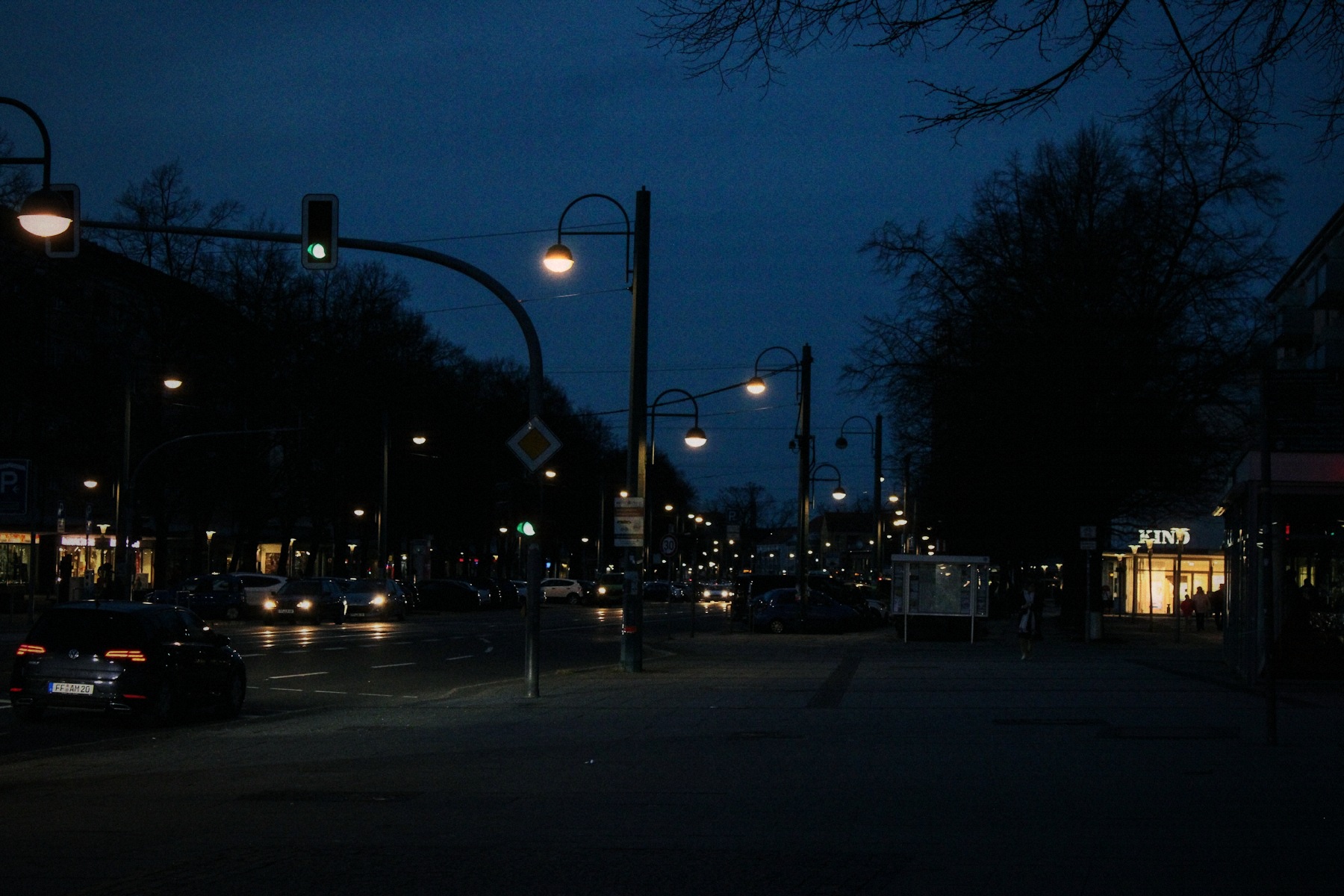
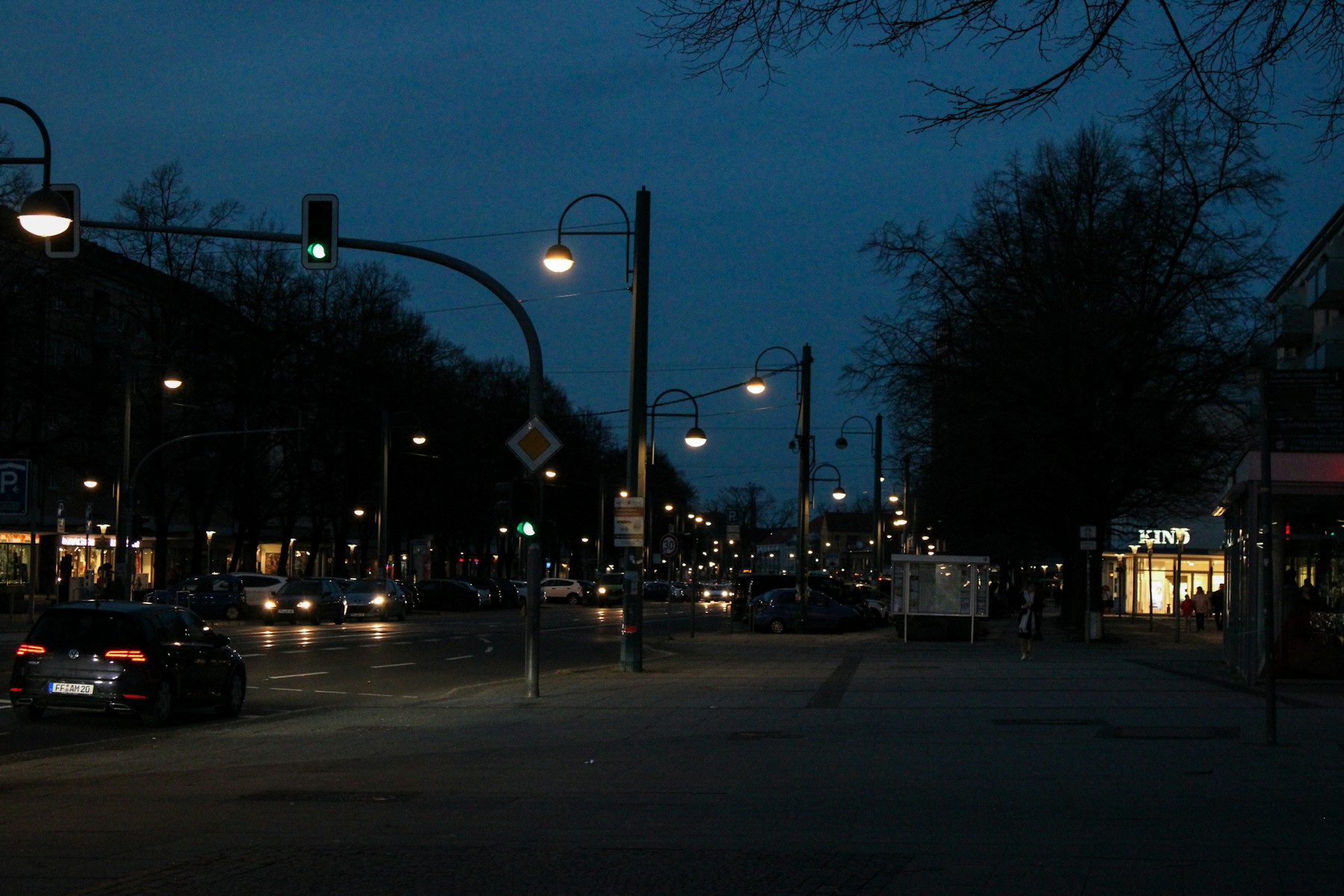 OriginalNocturne
Then choose Replace to use your own photo or clip. New here? Read the photo guide or learn more about Halation.