Anatomy of a look: Golden
A golden-hour grade fails when warmth becomes a yellow sheet over the whole photograph. Actual late-afternoon light has structure: a warm source, cooler or browner shade, bright edges and a gentle fall-off into the distance. A single colour overlay erases those relationships instead of strengthening them.
Halation's Golden preset separates the jobs. White balance warms the illumination, tone controls open the frame, split colour concentrates honey tones in the highlights, and a restrained film pass softens the finish. These are the exact values that reach the current renderer.
Exposure +0.12 EV, shadows +16
Golden starts slightly brighter than the source. Exposure is applied in linear light, so +0.12 EV multiplies every channel by about 1.087 before the image returns to its display-encoded working space. The change is deliberately small: it suggests open late-day light without pretending that an underexposed frame was shot in sun. The reason for doing this part in linear light is covered in the pipeline note.
Shadows at +16 provide the larger lift. Blacks at +4 and fade at 6 keep the lowest values readable, while whites at +6 give the upper range a little more presence. Highlights move the other way at −14, catching bright grass, clouds and skin before they flatten against white. The result is luminous rather than simply exposed up.
Contrast +8, fade 6
Positive contrast blends toward the shader's smooth S-curve. A setting of 8 mixes in only 7.2% of that curve, so the brighter grade retains shape without acquiring the hard separation of a punchy sunset look. Fade then scales the range to 98.44% and adds about 0.69% at the floor. Both changes are modest because softness is supplied later by glow, not by flattening the entire image.
Temperature +30, tint +5
White balance is the structural source of warmth. Temperature 30 and tint 5 become approximate linear channel gains of 1.094 red, 0.990 green and 0.913 blue. Red is lifted, blue is reduced and a small magenta correction keeps the result from leaning green. Because these are channel gains rather than a coloured layer, neutral objects still retain differences inherited from the original light.
This is also the control most likely to need correction. A photograph already made near sunset may contain all the warm illumination it needs. In that case, lower Temperature before changing the creative highlight colour. Otherwise the base and the finishing tone reinforce each other until white clothing, clouds and pale walls all turn yellow.
Vibrance +16, saturation +4
Saturation adds a small four-point global increase. Vibrance at 16 does more work on muted pixels and backs away as chroma and channel difference increase. That pairing helps dry grass and a pale sky respond without pushing an already vivid orange subject equally hard. It is still a global calculation, not a skin or sun detector; the exact limit is explained in Vibrance vs saturation.
Brown shadows at 14, honey highlights at 36
The shadow split is #5c3a22, a dark brown, blended through soft light
at 14. It does not make shadows orange. Its lower amount gives cool shade and deep
foliage a warmer neutral anchor without removing their separation from sunlight.
The highlight split is #ffc477 at 36, and this is where the recognisable
honey colour lives.
Both operations are luminance-masked. The brown is strongest low in the range; the honey colour grows toward the top. Midtones can receive some of each because the masks overlap, but the frame never gets one uniform wash. This separation is the practical boundary between warmth and yellow discolouration.
Bloom 22, halation 26
Golden uses more untinted bloom than warm halation. Threshold 66 admits a soft band from luminance 0.42 to 0.73 into the shared glow buffer, and radius 58 maps to 2.008 pixels in its quarter-resolution blur pass. Bloom screens that blurred light back at 22, broadening bright edges without colouring them again.
Halation adds the same buffer in #ff7a2e at 26. It is present around
the brightest areas, but it is not the foundation of the grade. Raising Halation
first tends to produce orange outlines; raising Bloom first produces a broader,
softer atmosphere. The diffusion note explains why
the original image remains sharp beneath that glow.
Grain 12, size 50, vignette 16
Grain size 50 produces about 1,238 cells across a full-resolution frame, with an amount of 12 weighted most strongly through the midtones. It is quiet texture for a well-lit scene, not the roughness of pushed low-light stock. Vignette 16 adds a mild edge fall-off, enough to hold attention in the illuminated centre without drawing an obvious ring.
What to change first
Set Exposure for the photograph, then reduce Temperature until neutral objects are believable. Adjust the highlight split next: lower it for pale architecture and portraits, keep it stronger where backlit grass or dust already carries warm light. Use Bloom for atmosphere and Halation only for bright local edges. No preset can invent the direction, shadows or rim light of golden hour; it can only organise colour and contrast already present in the frame.
Try it on a real photo
Start with Golden on a backlit meadow. Compare the warm grass with the cooler distant hills, then lower Temperature before the highlight split if the clouds turn yellow.
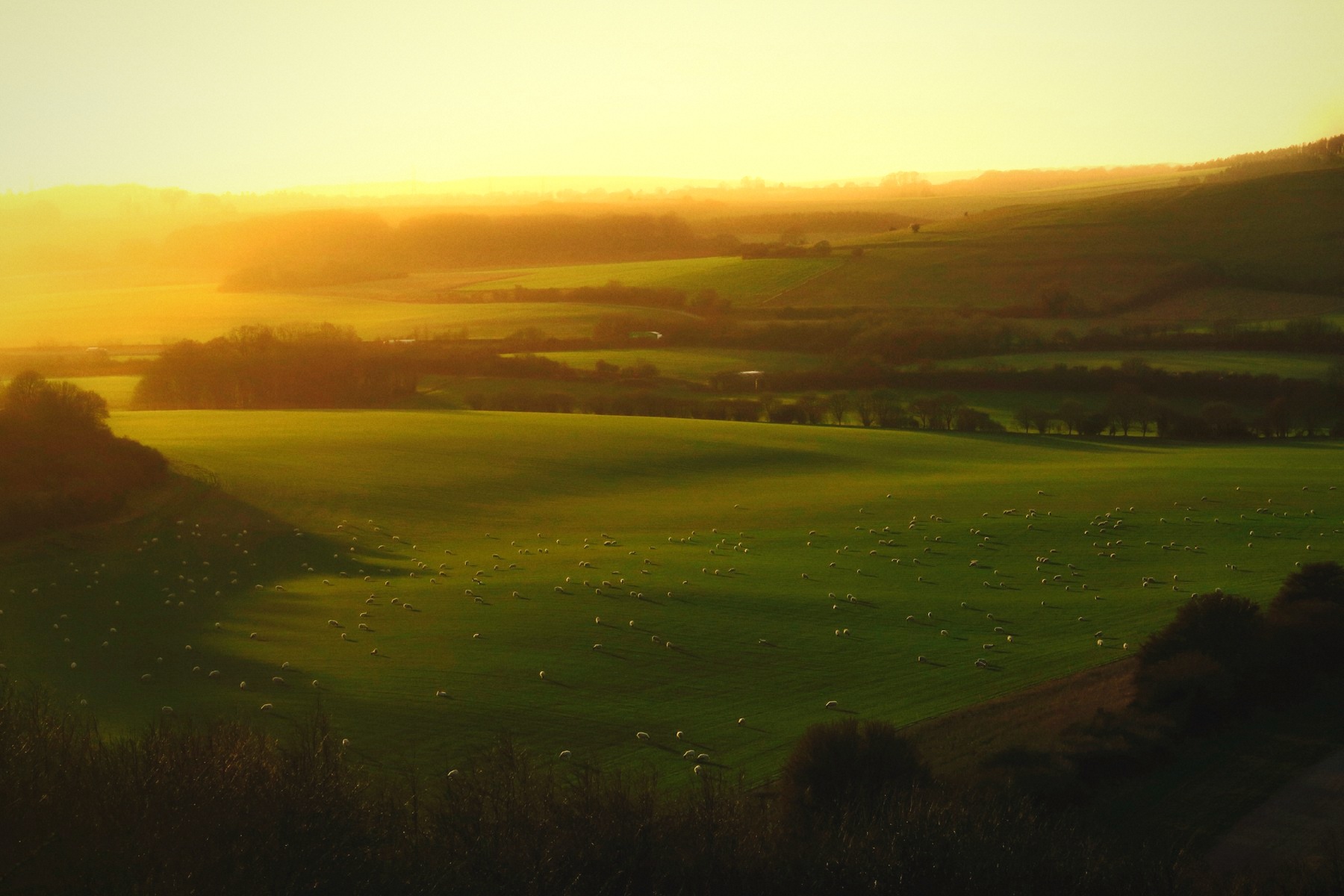
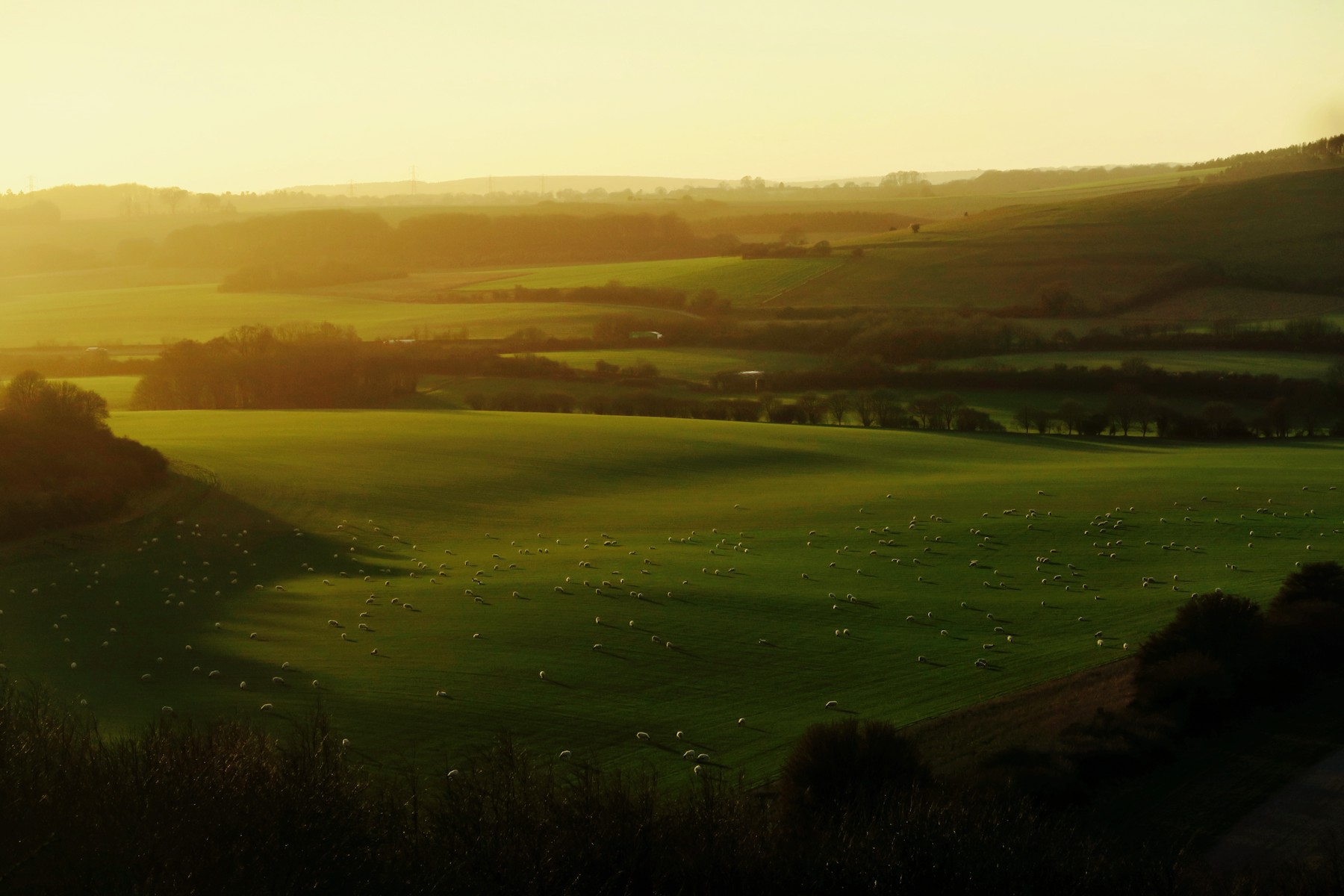 OriginalGolden
Then choose Replace to use your own photo or clip. New here? Read the photo guide or learn more about Halation.